No iPads? No Problem.

My school is in the middle of SBAC testing, so my class set of iPads has been commandeered for math/ELA testing.  Therefore, I’ve had to rethink my lessons to accommodate our non-iPad-ness.

And what I came up with actually turned out to be pretty cool.

I had my students create an app proposal for a historical figure from Japan:  Prince Shotoku.  Students had to write the purpose/function of the app, how it would have helped Prince Shotoku be an effective leader, illustrate the app icon, and cite textual evidence that proves that Prince Shotoku needed this app.

Because of our block schedule, my Periods 1, 3, 5 and Periods 2, 4, 6 did this assignment, but with a slight twist.

Periods 1, 3, 5 created this assignment on a piece of paper and presented it to class.  We didn’t have the iPads that day.  They were boisterous, engaged, and surprisingly adept at standing up in front of the class to present their work.

But when Periods 2, 4, 6 had World History, I was able to snag the iPads for a couple of days.  So those classes did the same assignment but they created it in Educreations.  =)  Loved, loved, LOVED what those students did!

Because I was pleased with what the students did and because they were so engaged in this activity, I decided to continue the assignment, but make it individual instead of a group.  Students had to make an app for a shogun, daimyo, samurai, or regent (can you tell that we’re on our Medieval Japan Unit?).  Using the same requirements, students had to write the purpose/function, how it would have helped that person, illustrate the app icon, and cite textual evidence.  Students created this app proposal in Popplet and then posted it in their Edmodo small group.  I liked this assignment as well because students had a chance to see what their peers created.

Though my students didn’t actually create a “real” app…their app proposals were quite impressive.  Maybe next year, for our new digital media class students can take this assignment a bit further and perhaps do some coding.  Hmmmmm.

Finally! We’re using a REAL LMS.

As an educator of middle school students, I have been denied the opportunity to use our district’s LMS.  The reasons no longer matter because I just found out that Haiku increased the number of students that a teacher can have on a free account.  Sign.me.up.

Which I did.

Last week, I introduced Haiku Learning to my world history students.  They created an account in our World History class and immediately began working on two different assignments.  One was a discussion topic.  Finally, we get to use an LMS with a threaded discussion instead of the linear fashion that we used with MyBigCampus and Edmodo.  Students posted their initial response by Friday 9PM.  Can I tell you how much I love the extended due times? I think my kids even like it.  It takes the pressure off from having to finish their assignment before the bell rings.  Of course, that means they have to remember to finish it once they get home.

The second assignment was a WikiProject.  Students were to revise their Popplet to include new information, upload it to their WikiProject and then include a reflection.  I’ll be honest, it was a bit tough to explain how to add a content block because this was virgin territory to my students.  Boy, I wish that I knew Haiku Learning had upped the free student accounts.  I would have been using it from the beginning of this semester.

The only problem that we’re experiencing right now is that our iPads do not include the newly revised Haiku app specifically designed for iOS7.  Our CRA has been busy getting  our tech tools ready for SBAC so he’s had little time for frivolities.  Bummer.  But my kiddies are going to Safari and things seem to work well (for now).  But as soon as testing is done…believe you me, that app will be installed on our iPads.  I want my students to have the full experience of using an LMS.  =)  This is one happy teacher.

Not Too Shabby

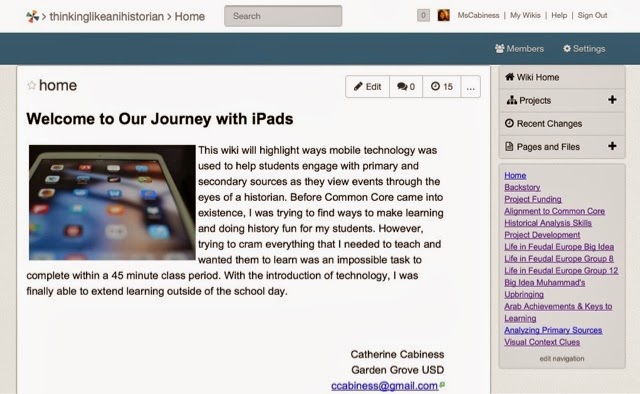
When I submitted my application for CUE, all I knew is that I was excited to share with others my experience with technology and my students.  I could have piddled forever on the presentation…but when I heard that the wifi was spotty (at best), I spent my time trying to troubleshoot issues by taking screenshots of my wiki.

  Luckily for me, the wifi worked (for the most part).  I plugged in the Ethernet cable but nothing happened. So I’m glad that someone was watching over me because I was a bundle of nerves.  
It all started by me walking in 20 minutes early to my presentation to a room that was about half filled.  I could barely contain my nerves as I watched people continue to file into the room.  I had people sitting on the floor in the front.  It was crazy.  I seriously thought I would only have maybe 12 people on my session.  Wrong.  I don’t know how many people were actually there, but it was a lot.  One kind gentleman mentioned that I needed to do two sessions.  =) 
Once I started my presentation, my nerves started to calm down.  I was focused on trying to impart all of the lessons and wisdom learned from using the iPads with my kiddoes this year.  I hope that I did my students’ hard work justice.  Because what I wanted most to impart is that 7th graders can do some pretty remarkable things if given the freedom to do so.  But I also wanted to share with my peers the fact that we can easily layer our assignments with levels of depth and complexity that give students practice in communication, collaboration, critical thinking, and creativity.  
I was so touched by the kind words from the attendees.  =)  Can’t wait to attend sessions tomorrow to geek out.