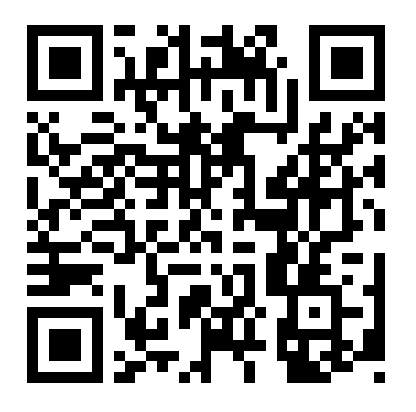
QR Codes

QR codes have been around for awhile now, and I’ve seen them referred to more in more in how they can be used in the classroom.  My department started using QR codes last year.  The QR code to the right connects the user to our World History class website (password protected).

The history department created QR codes for our class websites, and other sites we use with our students, such as our class wiki and Edmodo.  We handed those codes out to students and parents at the beginning of the school year, Back to School Night, and Open House.  Parents (and students) seemed to really like the idea that it was so easy to access important sites for the history courses simply by scanning the code.  It’s a quicker way to access the website as opposed to trying to type in the url on a smart phone.

This past weekend, a colleague and I were presenting at the Association of Teacher Educators 9ATE) conference in Atlanta.  Everything we did was tech-based.  We created our presentation using GooglePresentation and added a QR code so that participants could scan the code before the presentation started and therefore could easily follow along.  We used our iPads for our presentation as well.  I went to a different presentation on iPads in the classroom and I saw that the presenters also used a QR code to give attendees the presentation and contact information.  ATE is not a technology conference, so I was pleasantly surprised to see the QR code in action.  However, last year at ISTE, QR codes were everywhere.  This is a great option for people who don’t want the clutter of paper. Because let’s face it, how many of us really look back through the papers we receive from presentations and workshops?  It is much easier to find a digital file simply by using the search option on the computer as opposed to searching through a mound of stapled packets filed away in a drawer.

My next step for QR code integration is to share this with my principal and the Office of Secondary Education because we receive WAY too much paper and where does it go really?  In the recycle bin for the Special Education department?  In the trash?  Used as kindling for camping?

I’m also going to integrate QR codes into my curriculum this semester.  I plan to create enrichment opportunities for students because I am lucky to have a good group students who want to push themselves beyond the bare minimum.  Wish me luck!

Deducing from Documents

This past week, I created a lesson for my students which had them examining videos, excerpt from a book, and a picture in order to find evidence to prove that the Big Idea was true.  In almost everything that I do, I incorporate the GATE Thinking Tools.  But because I only have my kiddoes for one semester, I have to pick and choose which ones I want to concentrate on because there’s not enough time to thoroughly cover each one.

For our Feudal Europe unit, I used to have students examine a picture, write details, and find evidence to support the Big Idea.  But this year, I decided to incorporate videos and an excerpt and I put the whole thing on My Big Campus.  I figured, why not try a new tool in the process?  After all, with the cancellation of our school’s license for Discovery Streaming, I had to find a new way to show my students the videos that I used to use.

It’s amazing how many videos are already available on MBC for teachers to use.  The very videos that I used to use within Discovery Streaming (for an Internet-based lesson there) was easily recreated in MBC.  What’s even better is that I was able to easily make the connection to objectives and standards.  Not that the kiddoes ever read those, but at least it’s there.

On Thursday and Friday, I watched my students (via ARD) work their way through the various resources in the Feudal Europe Bundle on MBC.  They were taking notes, filling out their Top Ten List, and for some, actually beginning to formulate their answers to support the Big Idea.

What’s the Big Idea, you wonder?  The Big Idea was, “Life on the manor was…(harsh, difficult, busy).”  Students were able to choose which adjective they wanted to prove.  They have to find four pieces of evidence from the resources to support their Big Idea and write it on the graphic organizer.

The Big Idea is due this Tuesday.  I’m really looking forward to what they find.  On Tuesday, I’m going to have them meet with peers who chose the same Big Idea and compare answers.  =)  So far, I really like this lesson…it pushed all of us outside of our comfort zone as MBC is new to us and the Big Idea was new to my students.  We fumble and work our way through new things because I like to experiment and I want to give my students as many opportunities as I can to explore and use technology because I don’t know when they’ll have another opportunity to do so.

Hot for HOTS

It’s time for the semester technology project:  ethical issues wiki project.  I just finished creating the usernames for my students.  Those have now been uploaded and are ready for them to play around with tomorrow.

I love the ethical issues wiki project.  Some students really struggle with delving deeper into the material, but for the high achievers and the gifted students…this is really their time to shine.  I have quite a few students who are brilliant thinkers and it sometimes just takes my breath away when I read their responses.  So, yes, I’m very much looking forward to reading their take on the ethical issues on killing and death.  Like I’ve done in the past, the students have to relate their responses to our current unit of study:  Japan.  But I plan to expand the subsequent tasks to incorporate the idea of holy war (Europe Unit) and human sacrifice (Early American Civilizations Unit).  All 195 7th graders will be collaborating with students who sit at the same table throughout the day.  This gives them the opportunity to discuss issues with students who have World History in a different period.

To accommodate for the fact that some students do not have Internet access, I have reserved the mobile laptop cart for two days a week for the next three weeks.  Luckily for me this year, about 85% of my students have Internet access at home.  So I’m assuming that quite a few of them will be working outside of the school day.  I love it.  Taking learning outside of the confines of a traditional school day.  What a novel idea.  =)